Sell in the Bookstore
Earnings & payouts
You earn a royalty on every printed copy of your book sold in the Bookstore. Here’s how it’s worked out, when it’s ready to be paid, and how it reaches your bank.
To see yours, click Publishing in the left menu, then Earnings & payouts.

What you earn on each copy
Your royalty is the price you set, less three things:
- Printing: what it costs to print that copy at the time of the sale.
- Card processing: a fixed estimate of 3% of the price plus $0.30 a copy, whatever the buyer’s payment actually costs.
- The ColorCraft fee: 15% of the price, and at least $1.50 a copy.
Shipping and sales tax are added to the buyer’s total, so they never come out of your royalty. There’s no charge to list a book or to be paid. Royalties are worked out in cents and rounded down to the cent.
You can set any price from $5.99 to $49.99 that earns you at least $1 a copy. As you type it, the book’s Price section shows each line and Your royalty per copy, with the printing cost estimated. Printing at the time of a sale can cost a little more or less, so the royalty on a sale can differ a little from that estimate. See Put a book on sale.
Set up payouts
A book can’t go on sale until you can be paid. Payouts are for individuals in the United States; we can’t pay businesses, or people outside the United States, yet.
- 1
Click Set up payouts
It’s on Earnings & payouts, and at the top of every book’s Sell in the Bookstore page.
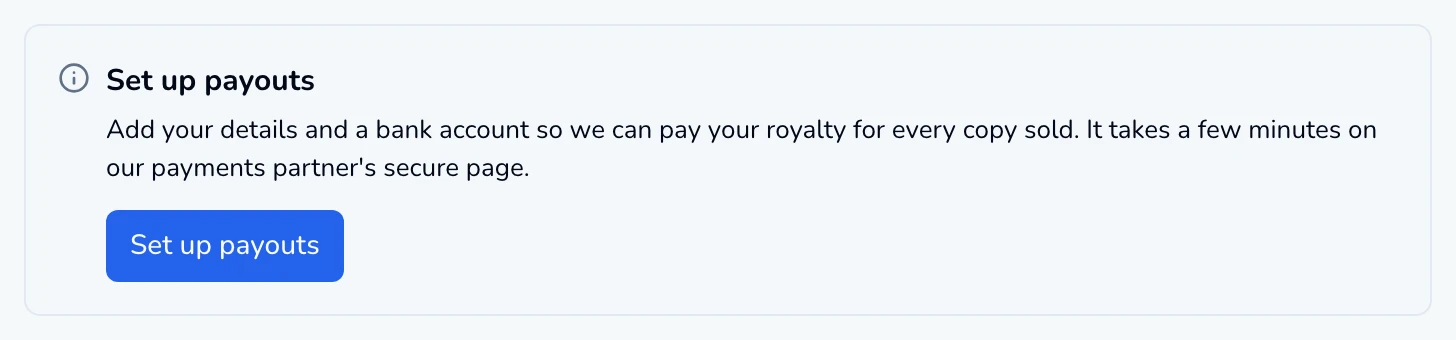
The payouts panel before you start. - 2
Add your details and a bank account
You go to the secure page of our payments partner, Stripe. It asks for the identity and tax details it needs and the bank account to pay. It takes a few minutes.
- 3
Come back to ColorCraft
When you’re done, you’re sent back, and the panel says where things stand:
- Finish setting up payouts: a few details are missing. Click Continue setup to pick up where you left off.
- Checking your details: usually a few minutes, sometimes a day or two. Click Check again to look.
- Payouts need your attention: some details need updating before we can pay you. Click Update details.
- Payouts are set up: you’re done. Manage payout details opens your payout account in a new tab, where you can change your bank account or tax details any time.

Your earnings
The Your earnings card shows where every royalty stands, across all your books:
- Copies sold: every copy bought in the Bookstore, not counting refunded ones.
- Waiting to ship: paid for, not shipped yet. It counts once the books ship.
- On hold: shipped, and held for 30 days after shipping. The card shows the date of the next release.
- Ready to send: the hold has ended, and it’s sent to you once it reaches $25.
- Paid to you: sent to your payout account.
- Owed back (only when there is some): from a refunded sale, and taken from your next royalties.
How each book is selling is under Books for sale: its copies sold and royalties earned.

When you’re paid
- 1
A buyer orders a copy
The royalty shows under Waiting to ship.
- 2
The order ships
The royalty moves to On hold for 30 days.
- 3
The hold ends
The royalty moves to Ready to send.
- 4
It reaches $25
We check every day. Once your Ready to send royalties, less anything you owe back, add up to at least $25, we send them to your payout account.
- 5
Your bank is paid
Your payout account pays your bank once a month, on the 15th.
Under $25?
Payouts to your bank, under the card, lists each payout with its amount and status:
- Scheduled
- On its way
- Paid
- Failed: check your bank details
- Cancelled

Refunds and disputes
We handle buyers’ questions, cancellations and refunds. What they mean for you:
- A full refund cancels the royalty on that order. If it was already sent, we take it back from your payout account; anything we can’t take back shows as Owed back and comes off your next royalties.
- A partial refund, such as of the shipping or one copy in an order, doesn’t change your royalty.
- A dispute with the buyer’s bank holds a royalty that hasn’t been sent yet while it’s open. If we win, it carries on as normal; if we lose, it’s treated as a full refund.
If your plan ends
Your books stay on sale, and the royalties you’ve earned are paid as usual. The Bookstore Seller Agreement has the full terms.
See your earnings
Set up payouts and follow every royalty from sale to bank.
ColorCraft’s 7-day trial needs a card.