KDP publishing
Book mockups
Mockups are photo-style pictures of your finished book — held in someone’s hands, standing on a desk, open to a spread — for Amazon A+ content, Etsy, Pinterest and Instagram. They’re made from your saved cover and, for some templates, your interior pages. Each mockup uses 2 pages from your balance.

Before you start
Most templates show your front cover, so make and save a cover first. 2 templates use only interior pages and work without one.
Make a mockup
- 1
Open the mockup studio
Click Mockups in the top bar of the editor, the cover editor or the listing page, or on a book’s card on Home. You can also click Mockups in the left-hand menu, then Open mockup studio (or Make mockups) next to the book.
- 2
Choose the cover
Under Use this cover, click the cover to use — your current cover is marked Live, and earlier versions from Past renders are listed too.
- 3
Pick a template
Under Template, click one of the 11 scenes. Hover a template for a short description. The table below shows what each one needs.
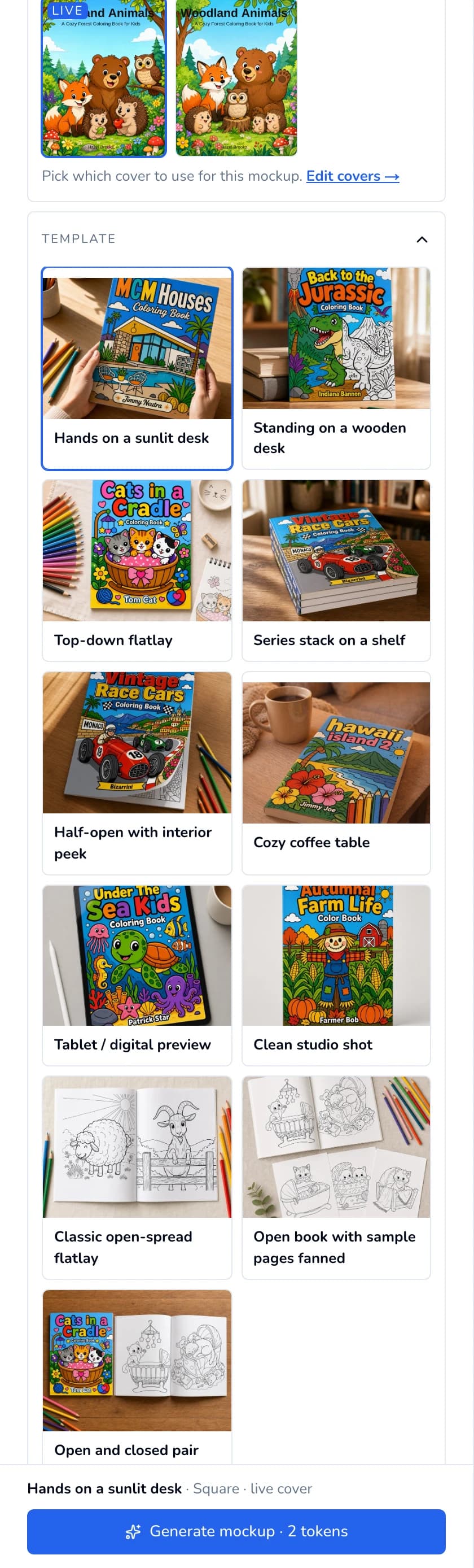
Pick the cover, then a template. - 4
Choose interior pages (some templates)
If the template shows page slots under Interior pages, click Auto-pick to fill them from your book, or click a slot (such as Left page) and then the page you want in it. Clear empties the slots. Cover-only templates say “This template uses the cover only — no interior pages needed.”
- 5
Adjust the settings
- Shape — Square (1024×1024), Portrait (1024×1536) or Landscape (1536×1024). Pick the shape of the place you’ll post it.
- Book type — Paperback Book or Hardcover Book.
- Accent props (some templates) — what sits next to the book, such as “colored pencils”.
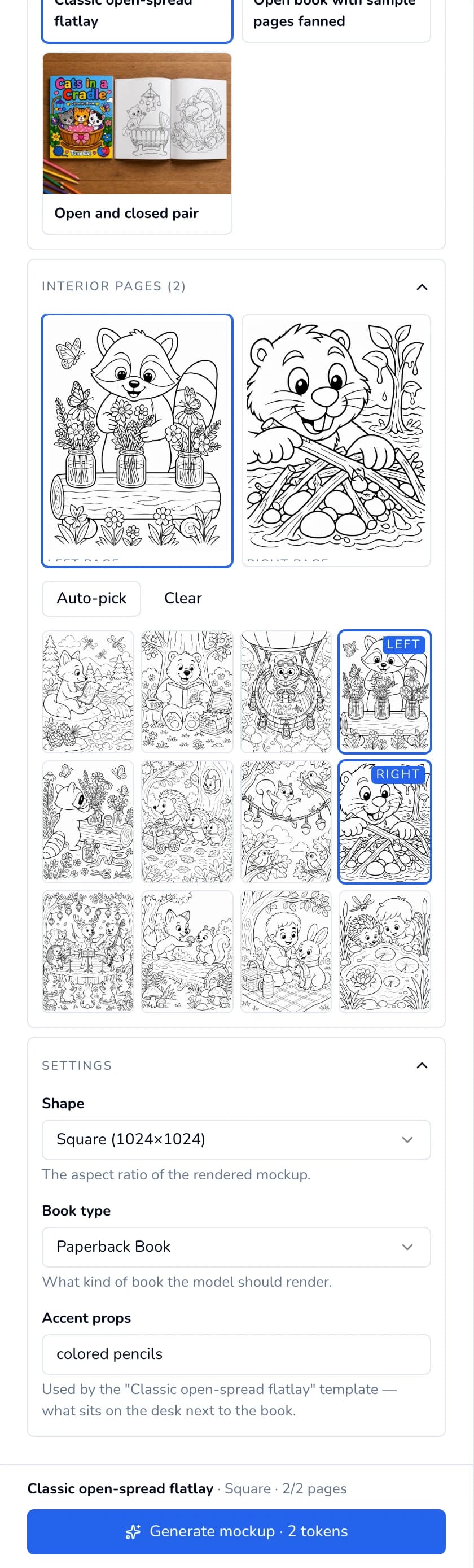
An interior template: page slots, then Settings. - 6
Click Generate mockup
Click Generate mockup · uses 2 pages. The right side shows “Generating mockup… Usually 1–2 minutes.” The finished mockup appears under Your mockups; click Download to save it. Each click makes one mockup. Your first mockup also earns 5 bonus pages.
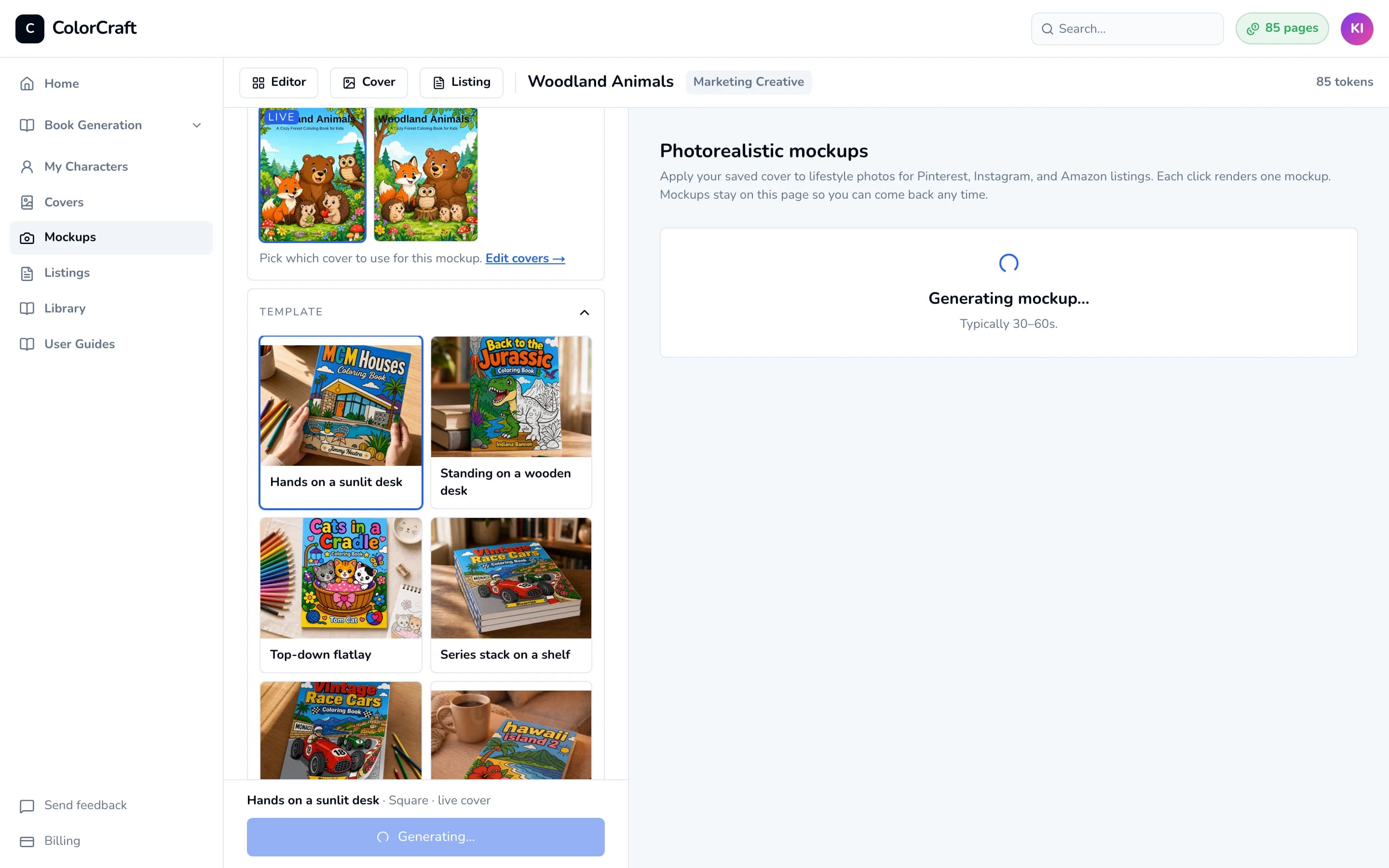
A mockup takes about 1–2 minutes.


The templates
| Template | What it shows | Needs a cover | Interior pages |
|---|---|---|---|
| Hands on a sunlit desk | Real hands hold the book over a sunlit wooden desk | Yes | — |
| Standing on a wooden desk | Book stands upright on a desk, bookstore-hero feel | Yes | — |
| Top-down flatlay | Editorial overhead flatlay with surrounding props | Yes | — |
| Series stack on a shelf | Three copies stacked — best as a secondary image | Yes | — |
| Half-open with interior peek | Cover lifted at one corner showing a page inside | Yes | — |
| Cozy coffee table | Book on a coffee table next to a steaming mug | Yes | — |
| Tablet / digital preview | Cover shown on a tablet — for ebook listings | Yes | — |
| Clean studio shot | Catalog-style: just the book, soft shadow, no props | Yes | — |
| Classic open-spread flatlay | Centerfold spread with both pages, top-down | No | 2 |
| Open book with sample pages fanned | Spread plus three loose sample pages — show variety | No | 5 |
| Open and closed pair | Closed cover beside an open spread — listing-grade | Yes | 2 |
Make a few, keep the best
Finding your mockups later
- They stay in the book’s mockup studio. Older ones load with Load more.
- Mockups in the left-hand menu lists every book with its mockups. Books without any are listed under Books without mockups; a book with no cover yet says Needs a cover first and offers Design cover.
- The Library’s Mockups tab shows them all in one grid.

If something goes wrong
When Generate mockup is greyed out, the list just above it says why:

- “Pick a template above.” — click a template.
- “Pick all N interior pages.” — fill every slot, or click Auto-pick.
- “This template needs a saved cover.” — make a cover first, or choose a template that doesn’t need one.
- “You need 2 pages to generate.” — click the button after it to get more (Upgrade now on a trial, Upgrade plan on a plan).
- “Mockups require a paid plan.” — mockups need an active plan or free trial; click Upgrade.
- “Creator and up: lifestyle mockups” — your plan doesn't include lifestyle mockups. Mockups come with Creator ($32/month) and higher plans, and with every free trial. If you started a trial or paid for a plan before AI covers, mockups and listings moved to Creator, you keep all three on every plan. Mockups you already made stay in your gallery.
- “Mockup generation failed” — click Generate again in a moment.
Open the mockup studio
Turn your finished cover into product photos for your listing and social posts.
ColorCraft’s 7-day trial needs a card.