Getting started
Three ways to start a coloring book
There are three ways to start a coloring book in ColorCraft. All three end up in the same editor and download as the same KDP-ready PDF. The difference is how much of the writing Paige does for you.
At a glance
| Path | Where to click | Who writes the prompts | Best for |
|---|---|---|---|
| Paige wizard | Left rail → Book Generation → Coloring Books | Paige, for the whole book at once (5–100 pages; 5–24 during the trial) | A full themed book from a short description |
| New project | Dashboard → New project | You, one page at a time | Picking every page yourself |
| Prompt Generator | Inside any coloring book in the editor | Paige, in small batches (up to 10 pages drawn at once) | Adding pages to a book you already have |
Paige wizard
- Where to click
- Left rail → Book Generation → Coloring Books
- Who writes the prompts
- Paige, for the whole book at once (5–100 pages; 5–24 during the trial)
- Best for
- A full themed book from a short description
New project
- Where to click
- Dashboard → New project
- Who writes the prompts
- You, one page at a time
- Best for
- Picking every page yourself
Prompt Generator
- Where to click
- Inside any coloring book in the editor
- Who writes the prompts
- Paige, in small batches (up to 10 pages drawn at once)
- Best for
- Adding pages to a book you already have
Every path costs the same: each coloring page drawn uses 1 page from your balance. Writing prompts is free.
1. Paige wizard: a whole book from a description
Open Book Generation in the left rail and click Coloring Books. You can also click the Coloring book button on your dashboard. Describe the book once (title, theme, audience, style, page count) and click Draft N prompts. Paige writes a prompt for every page. Review the list, then click Looks good — render N pages. Paige creates the book and draws every page. Drawing keeps going if you close the tab, and the finished book appears on your dashboard.
Choose this when you know the theme and want the pages to feel like one book.
Step-by-step: Your first coloring book. Every option: Paige for coloring books.
2. New project: build it page by page
- 1
Create the project
On your dashboard, click New project (top right). In the window that opens:
- Book title: type your title.
- Page size: 8.5" x 11" (US Letter) is selected and is the usual choice for coloring books. Choose carefully, because the size can’t be changed later.
- Art style: leave it on Kids Coloring Book for your first book.
Click Create project. You’ll see “Project created” and the editor opens with one blank page. Creating a project is free.
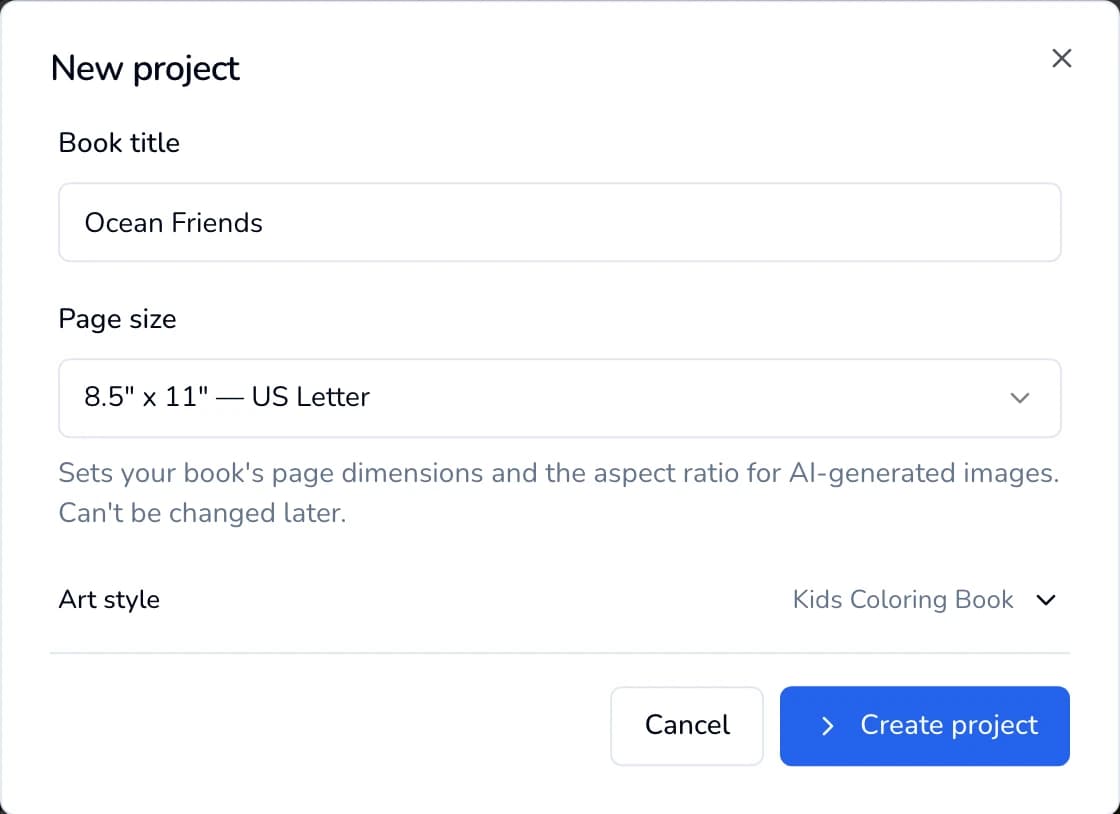
New project: a title, a page size and a style. No pages are drawn yet. 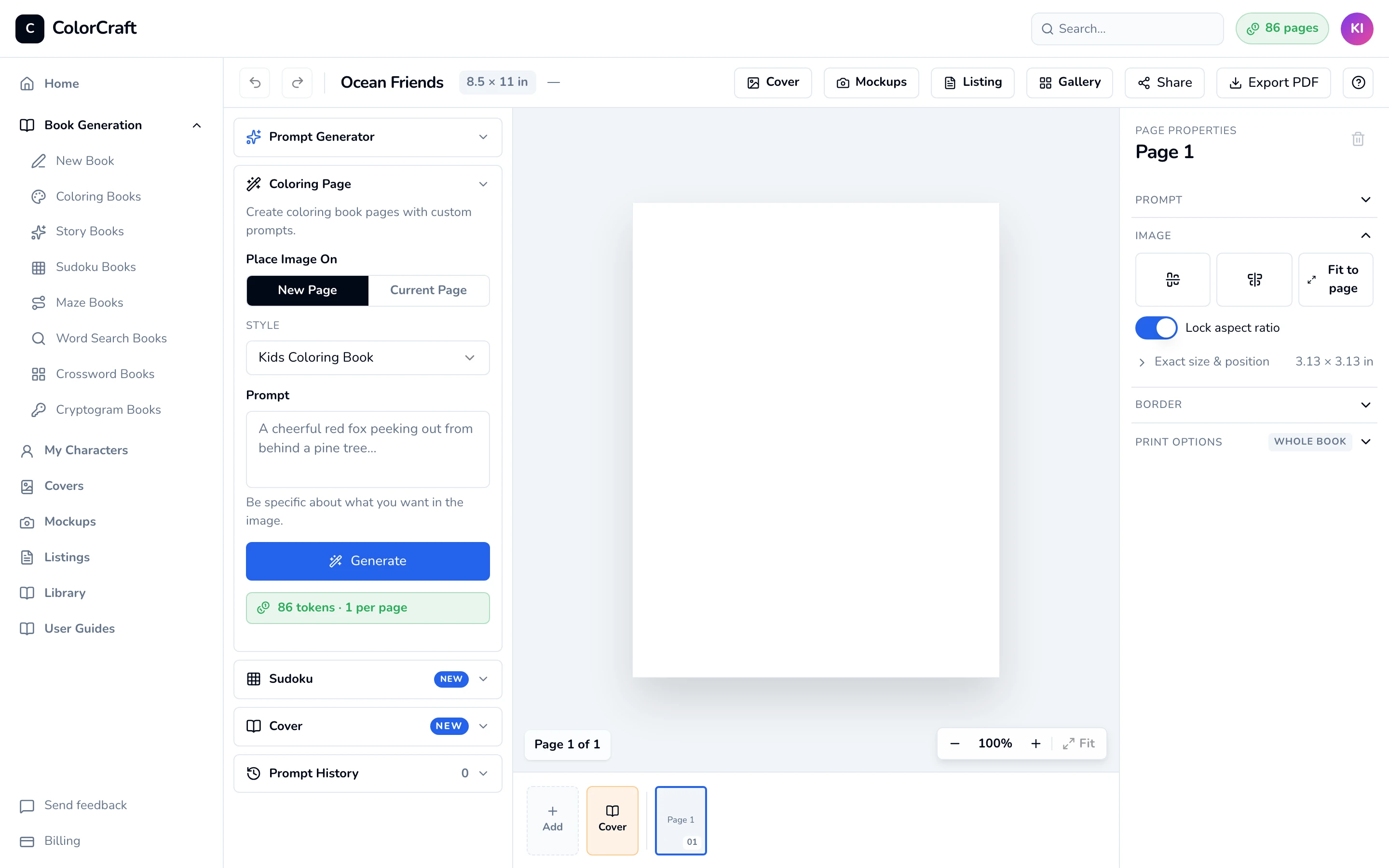
Your new project starts with one blank page. - 2
Draw a page from your own prompt
In the editor’s left sidebar, open Coloring Page.
- Place Image On: New Page adds a page. Current Page replaces the art on the page you’re looking at. Your first picture fills the blank page either way.
- Prompt: describe one scene, for example “A cheerful red fox peeking out from behind a pine tree”.
Click Generate. The picture appears on the page in a few seconds with the message “Image generated”. Repeat for every page.
Cost: each picture uses 1 page from your balance. The green chip under the button shows what it uses and how many pages you have left.
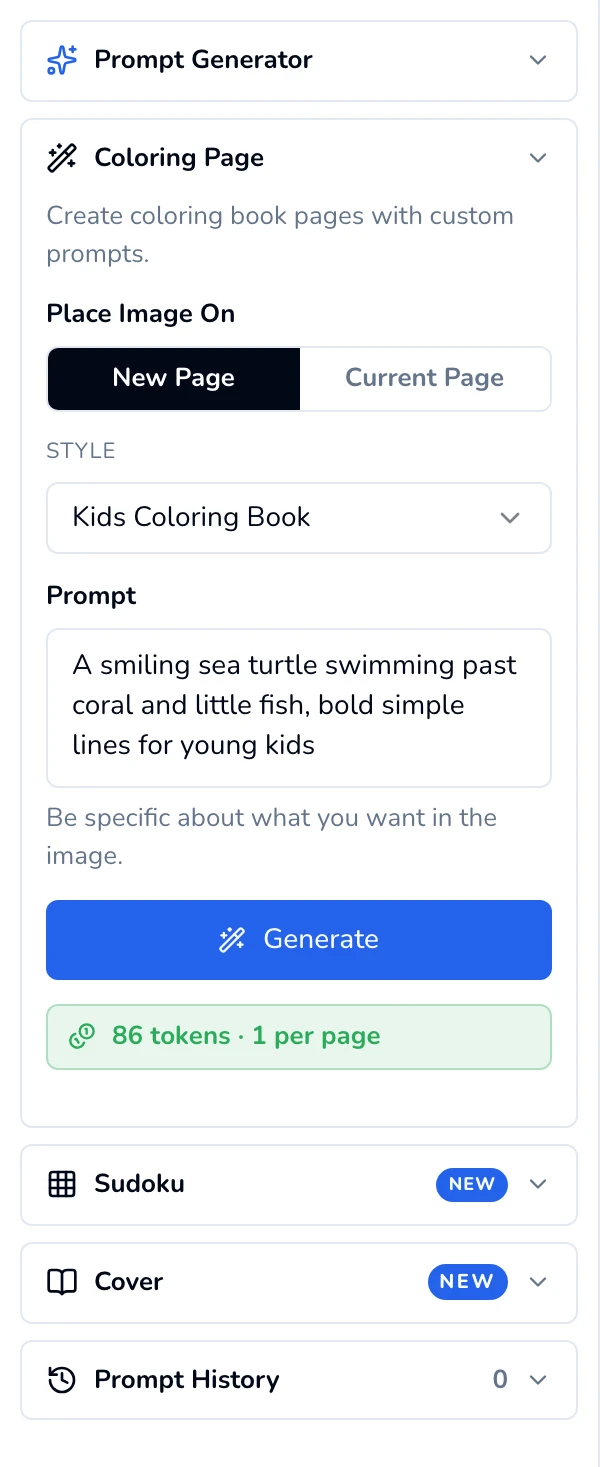
Coloring Page: one prompt, one picture. If something goes wrong
“Empty prompt — Describe what you want on the page.” Type a prompt first.
“Page N already has an image.” You chose Current Page on a page that already has art. Choose Add to a new page instead to keep it, or replace it. It “Uses 1 page either way.”
“Out of pages.” See Pages & billing for how to get more.


Choose this when you already have your prompts, want to pick every page by hand, or are trying out a style before making a whole book.
3. Prompt Generator: add pages to a book you have
- 1
Draft a few prompts
Open any coloring book in the editor. In the left sidebar, open Prompt Generator. Type a Theme (for example “ocean animals, young kids”) and set Count (1 to 25). Click Generate N prompts. This is free.
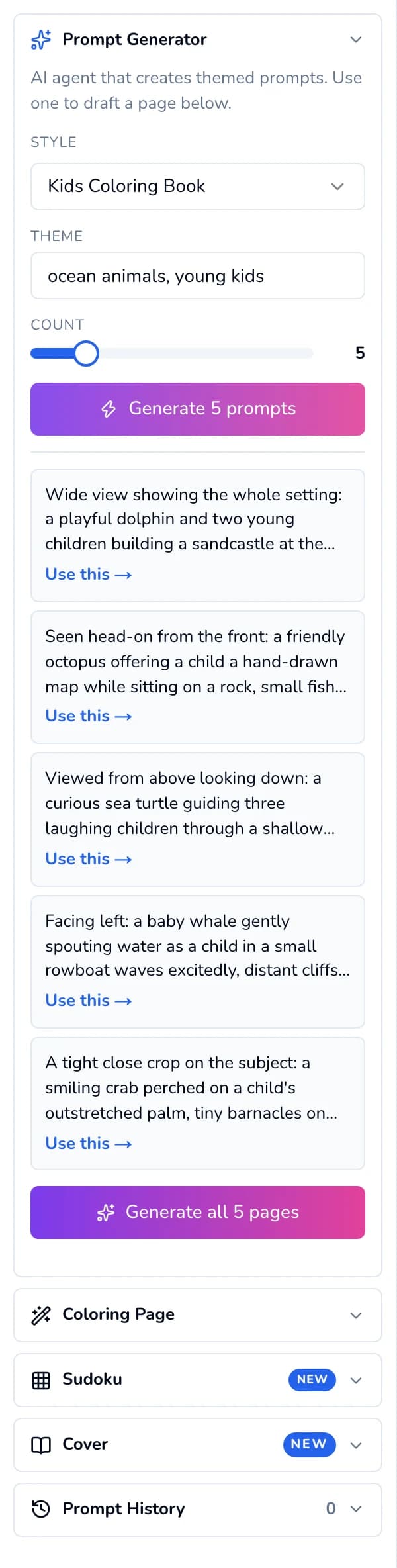
Paige drafts the prompts. Use one, or draw them all. - 2
Draw them
- Use this → copies one prompt into the Coloring Page panel so you can tweak it before clicking Generate.
- Generate all N pages draws the whole batch and adds the pages to your book. It works for up to 10 prompts. For bigger batches, use Use this → on each prompt, or start a new book in the Paige wizard.
While the batch runs, the button counts up (“2 of 3 rendered…”) and each prompt shows its own status. Keep the editor open until the batch finishes.
Cost: each page drawn uses 1 page from your balance.
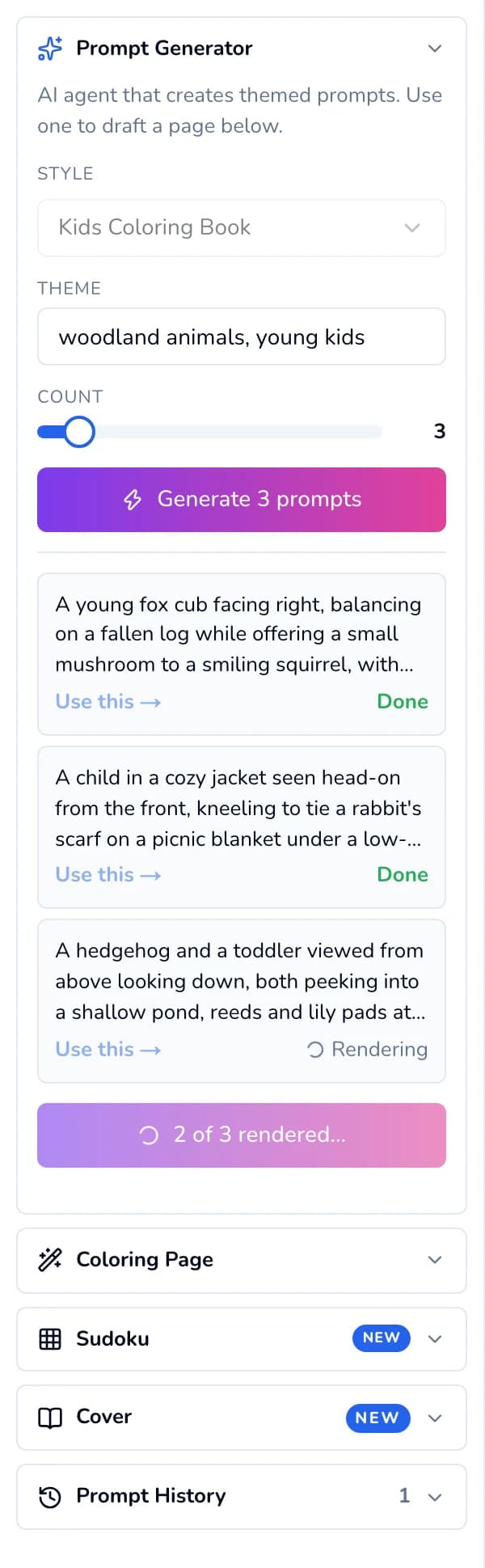
Each prompt shows its status while the batch draws. If something goes wrong
“Theme required — Tell Paige what your book is about.” Type a theme first.
A prompt shows Retry: that page didn’t draw. Click Retry on it, or click Re-run failed pages.


Same Paige, different job
Which should I pick?
- First book, want it done fast: the Paige wizard.
- Every prompt already written: New project on the dashboard, then Coloring Page for each page.
- Book exists, need a few more pages: open it and use the Prompt Generator.
Start a book
Try the Paige wizard for a full book, or start blank and build it page by page.
ColorCraft’s 7-day trial needs a card.