Puzzle books
Mazes
Make a book of square mazes with a start dot, a finish dot, and a solutions section that traces the way through in red. You choose the grid size and one of two maze styles: long winding corridors or lots of branches.
At a glance
- Cost: each maze uses 1 page from your balance. Solution pages and exporting are free. The free trial (card required) includes 40 pages. See Pages & billing.
- Size: 1 to 100 mazes per book. Grids run from 15×15 to 60×60, in four KDP trim sizes.
- What you get: one page per maze, then the solutions. Solutions print one or four to a page.
- Where it lands: the standard editor, ready to review and export.
Make a maze book
- 1
Open the Maze wizard
In the left menu, click Book Generation to expand it, then click Maze Books. You can also start from Paige’s product chooser: under Puzzle books, click the Maze card and then Next.
The maze settings screen opens with Paige · Maze in the coloured bar at the top.
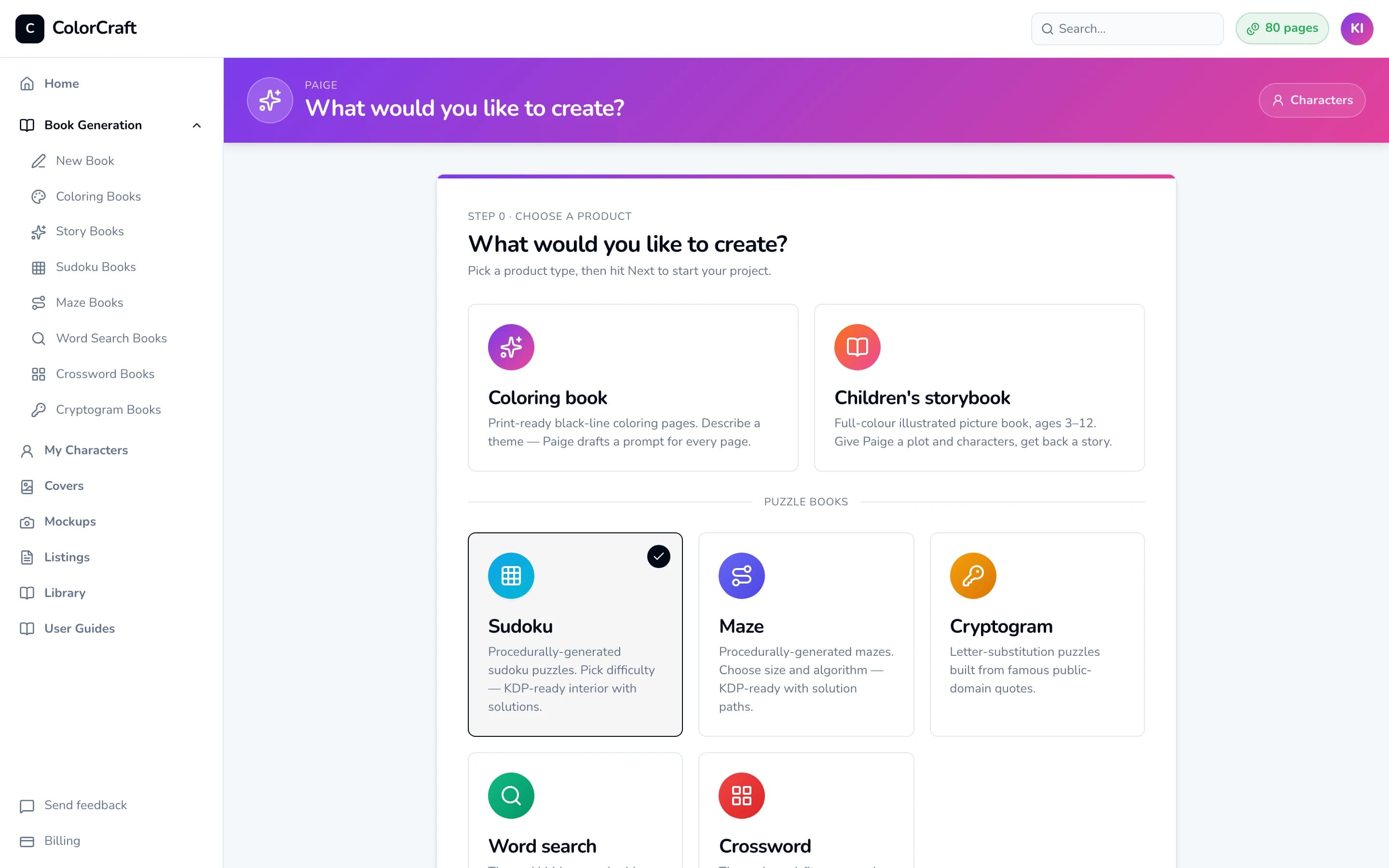
The Paige chooser, shown here with Sudoku selected. Click Maze instead, then Next. - 2
Name the book and pick how many mazes
In Project title, type your book’s title (up to 100 characters). It starts as “Maze Volume 1”.
Under Number of mazes, click 10, 20, 30, 50, or 100. You can also type any number from 1 to 100 in the box after “or”, or drag the slider. The line underneath reads “Each maze uses 1 page. Solutions are free. You have N pages.”
- 3
Choose the difficulty and maze style
Difficulty sets the grid size. Bigger grids mean longer, harder mazes:
- Easy: 15 × 15 grid
- Medium: 25 × 25 grid (the default)
- Hard: 40 × 40 grid
- Expert: 60 × 60 grid
Algorithm sets the maze’s character. Backtracker (the default) makes long winding corridors. Prim’s makes more branching, junction-heavy mazes. The sample maze redraws when you change either setting, and New sample shows another one for free.
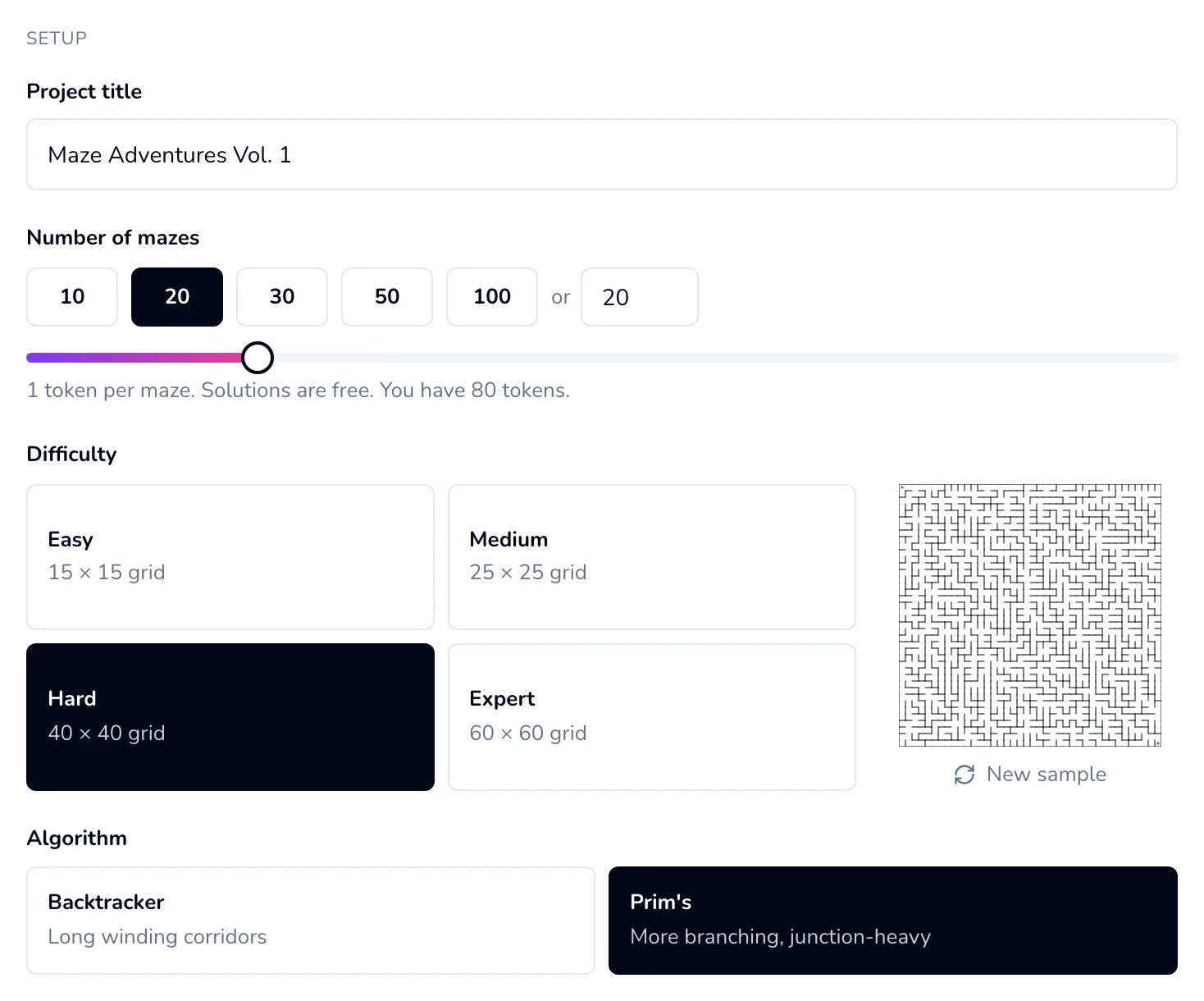
Hard (40 × 40) with Prim's selected. The sample maze shows the result before you spend anything. - 4
Pick the solutions layout and trim size
Under Solutions per page, choose 1 per page (full size, easiest to follow) or 4 per page (a 2×2 grid that saves paper). As the screen notes, 4 per page suits Easy and Medium mazes. Hard and Expert solutions read best one per page. You can’t change this after the book is made, so decide now.
Under Trim size, pick 8.5 × 11 (the default), 8 × 10, 7 × 10, or 6 × 9 inches to match your KDP trim.
Name pattern sets how pages are numbered: Sequential (“Maze 1”, “Maze 2”, …) or Roman (“Maze I”, “Maze II”, …); solutions follow the same pattern. Font sets the typeface for the puzzles and solutions: Helvetica, Times or Courier. The PDF embeds a matching open font (Arimo, Tinos or Cousine) so KDP accepts the file.
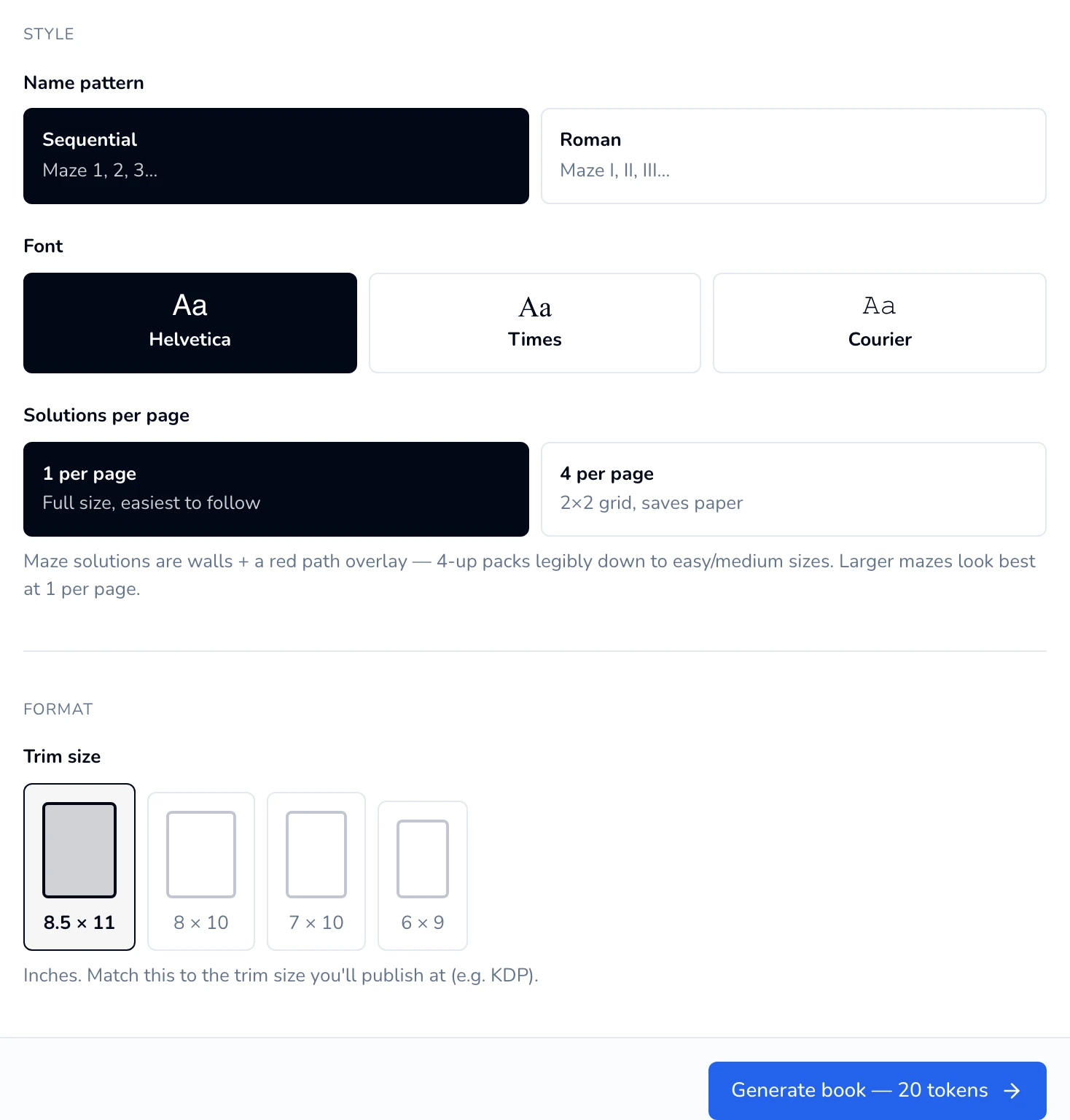
The Style and Format sections. The Generate button at the bottom shows the book's price. - 5
Generate the book
Click Generate book — uses N pages. The button changes to “Generating…” and a progress bar counts the finished mazes.
Keep this tab open until it finishes. Easy and Medium books are quick. Expert mazes take a few seconds each.
When it’s done you’ll see “Maze book generated” and go straight to the editor. Each maze made uses 1 page from your balance.
- 6
Review the book in the editor
The editor opens on Maze 1. The page strip along the bottom holds every maze first, then the solutions. Maze tiles in the strip show a page number instead of a picture, so click a tile to see the page.
Maze pages can’t be edited: you can’t move the maze or add text or pictures. You can drag pages in the strip to reorder them, and add a frame from the right sidebar’s Border section.
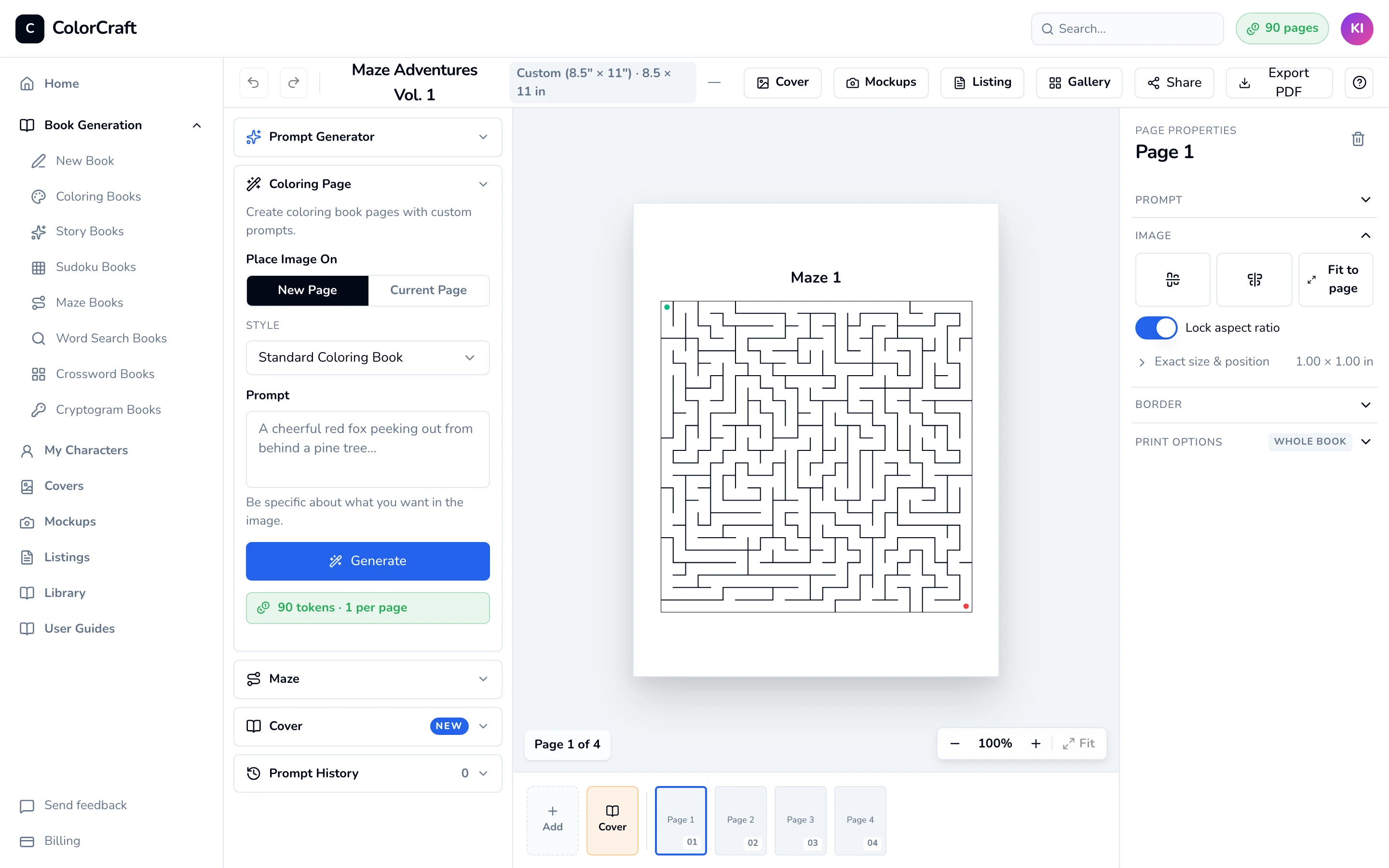
Maze 1 in the editor. The page title is added automatically. 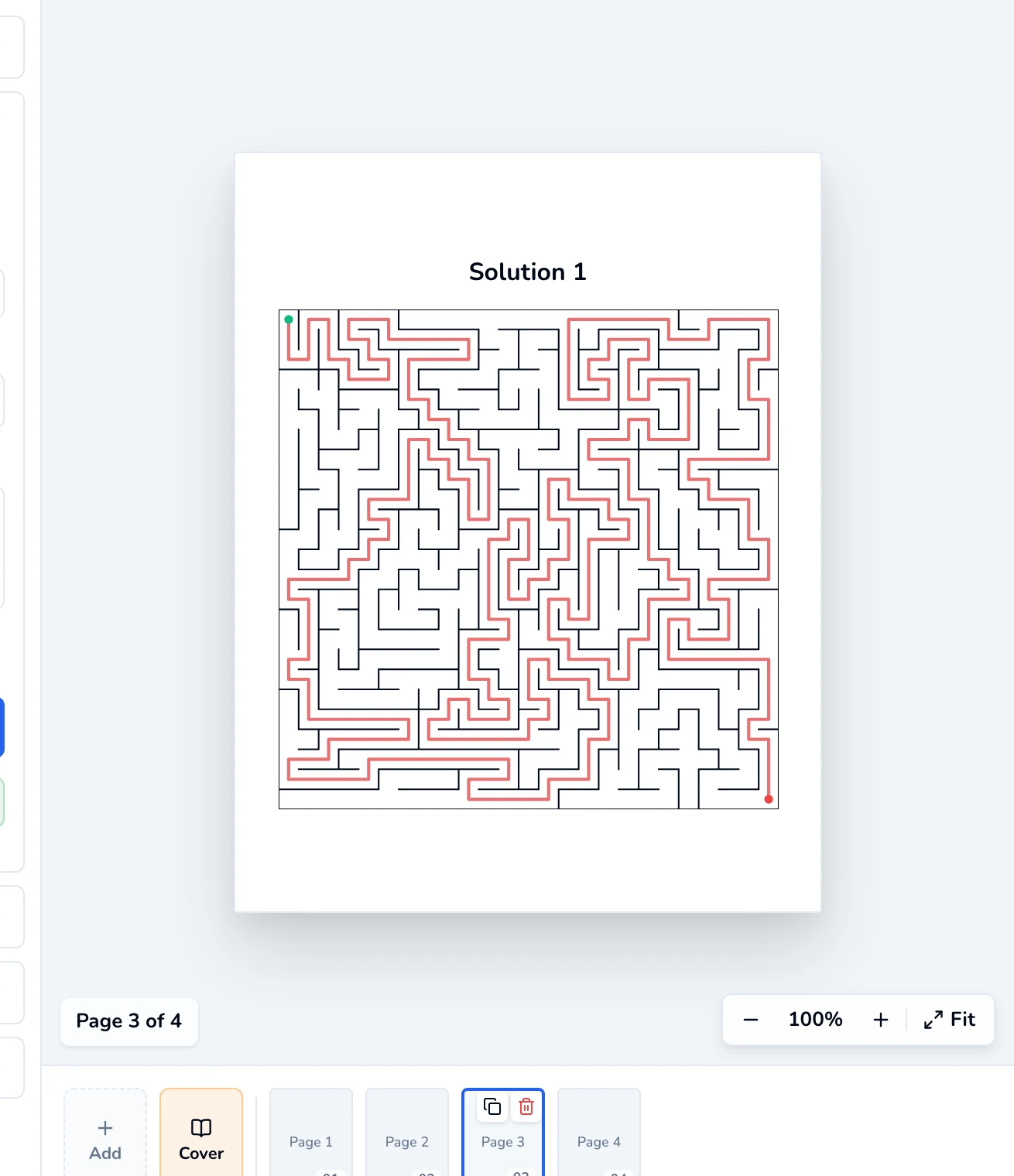
Each solution is the same maze with the route traced in red. - 7
Add more mazes (optional)
In the left sidebar, click Maze. The Coloring Page panel is open by default, so click Maze to switch. New mazes reuse the book’s difficulty and algorithm. Choose How many (5, 10, 20, or type up to 50) and click Add to book. The line above the button shows the price, e.g. “Adds 5 mazes + 5 solutions. Uses 5 pages.”
In the editor, new mazes appear after your existing solution pages. The exported PDF still prints every maze first and every solution after.
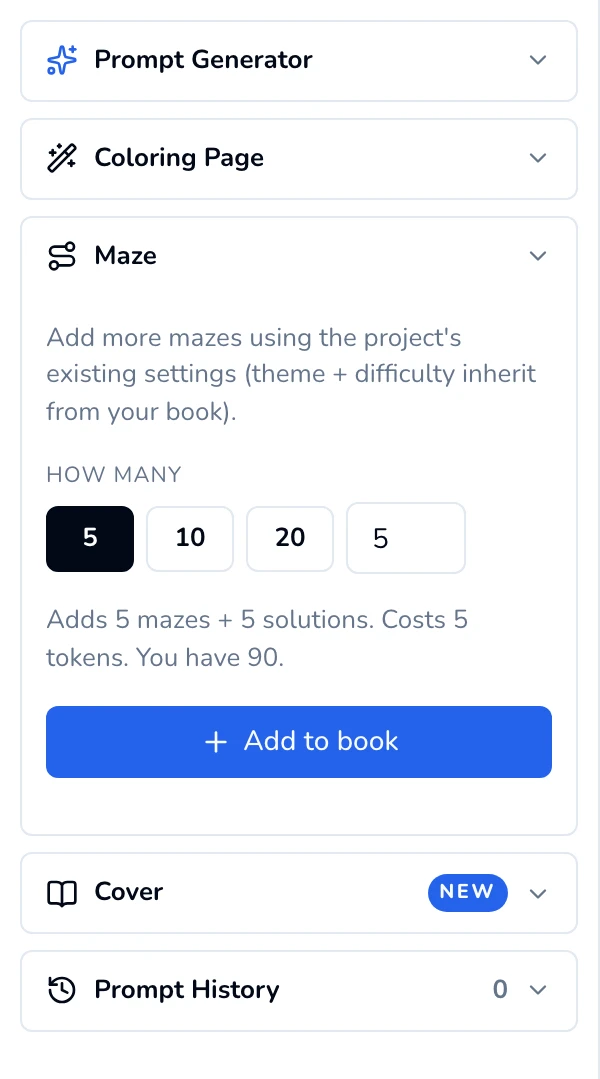
The Maze panel in the editor's left sidebar. - 8
Export the PDF
Click Export PDF in the top bar. The PDF prints every maze, then a page titled Solutions, then the solutions. Exporting doesn’t use your balance. After a print-ready export, the Upload to Amazon KDP guide opens with the settings to use on KDP.
Trial downloads are watermarked previews. The print-ready file comes with your plan, or unlock one book for $24.


Good to know
- Page count. KDP paperbacks need at least 24 interior pages. Your book has one page per maze, plus 1 for the Solutions title page, plus the solution pages (one per maze, or a quarter as many at 4 per page). The total is rounded up to an even number. For example, 12 mazes at 1 solution per page is 12 + 1 + 12 = 25, printed as 26 pages, using 12 from your balance.
- One kind of puzzle per book. A maze book can only hold mazes. You can’t add mazes to a coloring book or to another puzzle type.
Big mazes need a big page
If something goes wrong
- “This book needs N pages; you have M. Reduce the count or get more pages.” Generate book stays greyed out. Lower the number of mazes, or click the button in the red box to get more: Upgrade now on a trial, Upgrade plan on a plan.
- Generate book is greyed out with no message. The Project title is empty. Type a title.
- “Generation failed” with “Start your free 7-day trial to use puzzle books…” or “Your free trial has ended…” Puzzle books need an active trial or plan. Start one from the Billing page and try again.
- You closed the tab, or the connection dropped, mid-way. Generation stops. The book is on your dashboard with the mazes that finished, each with its solution, and you were only charged for those. Use the Maze panel’s Add to book to make up the rest.
Build a maze book
Pick a grid size and maze style. The solutions section is built for you.
ColorCraft’s 7-day trial needs a card.