Account
Feedback & support
ColorCraft is a small operation, and a real person reads every message. Bug reports, feature ideas and billing questions all land in the same inbox.
Ways to reach us
- 1
Quick idea or annoyance: Send feedback
Click Send feedback at the bottom of the left rail in the app. A short feedback form opens in a new tab. It’s the fastest way to tell us what you’d change.

Send feedback is at the bottom of the left rail on every app screen. - 2
Anything else: email us
Write to hello@colorcraft.ai for bugs, billing questions, refunds and feature requests. Send it from the email address on your ColorCraft account so we can find your books.
- 3
Prefer a form? Use the contact page
The contact page lists our email address, plus a Send us a Message form (Name, Email, Subject, Message). Clicking Send Message opens your own email app with your message filled in. Press send in your email app to deliver it.
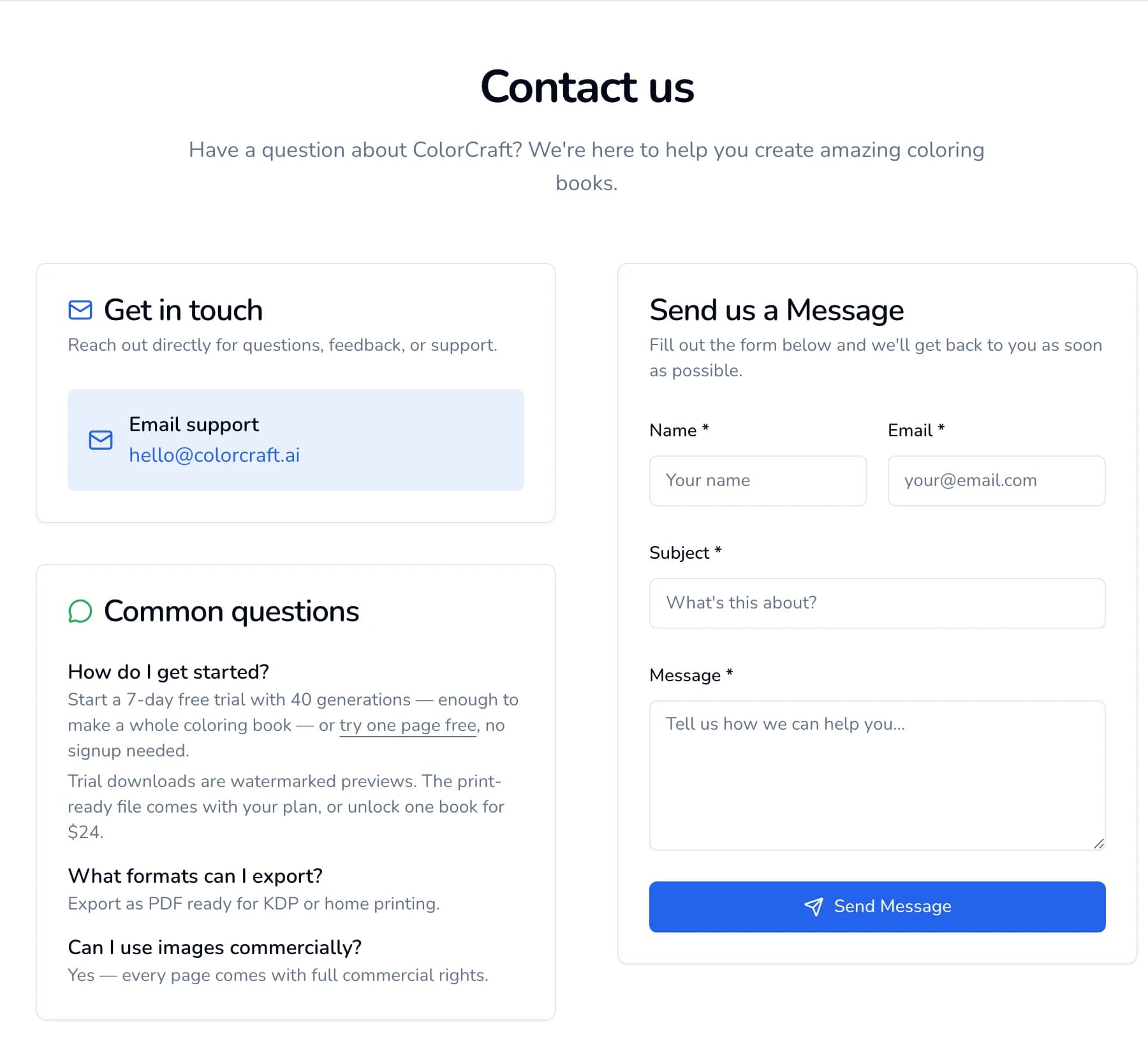
The contact page. The form hands your message to your email app. If something goes wrong
No email app opened after Send Message? Your computer may not have one set up. Copy your message and send it to hello@colorcraft.ai from your usual email instead.


Quick answers to common questions (KDP acceptance, trim sizes, selling your books, what the trial includes) are in the FAQ. Billing rules are in our Terms, refunds in its Refunds section.
Rate a page
When you draw a page from the editor’s Coloring Page panel, select the page and open Prompt in the right sidebar. You’ll see How did this page turn out? with a thumbs up and a thumbs down. After a thumbs down you can pick what was wrong, such as Too busy / cluttered, Doesn’t match my prompt or Messy linework. One click is all it takes, and it helps us improve the drawings.
Reporting a bug
Include these and we can usually find the problem right away:
- What you were doing (for example, “Paige coloring book, 16 pages”).
- The book’s title, or the address from your browser’s address bar.
- Roughly when it happened.
- A screenshot of any error message.
Book still drawing? Give it a few minutes first
Paige keeps drawing after you close the tab or leave the page. Wait a few minutes, then open your dashboard. The finished book shows up in your book list, even if a “Working on it…” row is still showing above it.
If the dashboard says “This one stalled — the pages it used are back in your balance”, start the book again. Still stuck after ten minutes? Email us with the book title and the time you started it.
Feature requests
We ship fast. If a feature would change what you can publish, tell us. “I’d pay for X” and “I’m stuck because Y” move things up the list fastest.
Response times
We read every message and reply as soon as we can. Refund and billing questions go to the front of the queue.
Have something to share?
A one-founder shop: a real person reads every message. No ticket bots.
ColorCraft’s 7-day trial needs a card.