Paige (AI assistant)
My Characters
My Characters is where you keep the recurring cast of your books: a mascot, a hero, a family pet. Save a character once and add them to any storybook or coloring book. Paige keeps them looking the same on every page, drawn in whatever style that book uses.
Two ways to give a character a look
Upload photos
Add up to 3 pictures of the character: a photo, a drawing or existing art. Paige shows them to the illustrator on every page, in any style, and you don’t need to pick anything else. You must own the pictures or have permission to use them.
Describe and pick a look
Write a short description, and Paige draws three looks in the style you choose. Click the one you like. Drawing looks is free, and you can redraw as often as you want.
Create a character
- 1
Open My Characters
In the left menu, open My Studio and click My Characters. You can also get there from the My Characters button on your dashboard, or the Characters button at the top of /paige/new. The first time, you’ll see “No characters yet”.
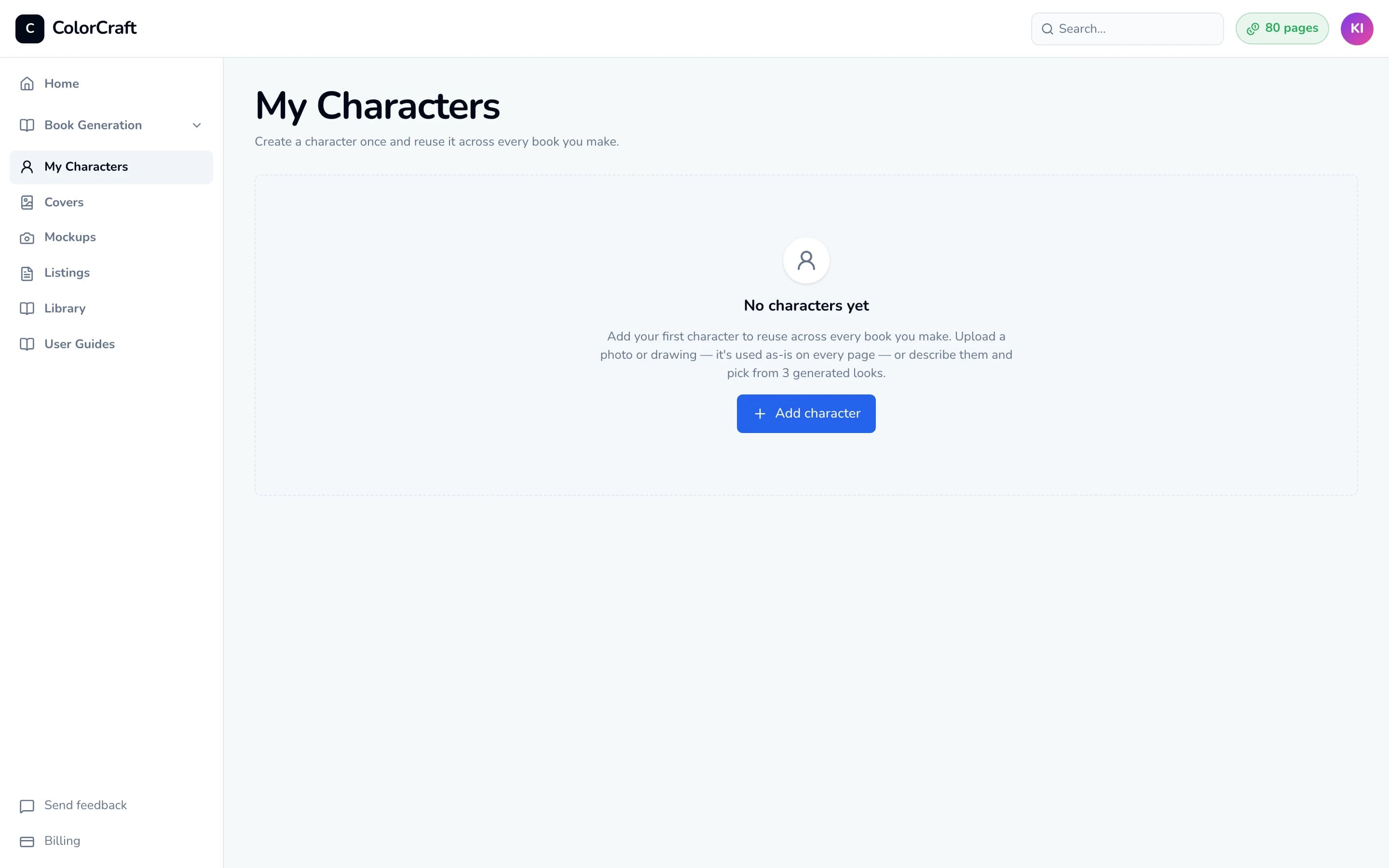
My Characters before you’ve added anyone. - 2
Name and describe the character
Click Add character. In the window that opens, fill in:
- Name: up to 80 characters, for example “Bruno”.
- Description: at least 10 characters. Describe what they look like (“A small brown bear cub with a red scarf, curious eyes, and round ears.”). Paige uses this on every page, so mention the details that should never change, like clothing, colors and accessories.
- 3
Option A: upload photos
Under Your photos, click the box that says Add up to 3 photos, or drag pictures onto it. JPEG, PNG, WebP and iPhone HEIC photos all work, and large photos are shrunk automatically. Each picture shows “Processing…” for a moment, then appears as a thumbnail.
A checkbox appears underneath: tick “I own the rights to this character, or I have permission to use it…”. You can’t save until it’s ticked.
That’s all a photo character needs. The note beside Your photos changes to “Used as the reference on every page — no look to pick.” If you’d also like a drawn preview, choose a style under Illustrated look (optional) and click Draw an illustrated version. Your photos stay the reference either way.
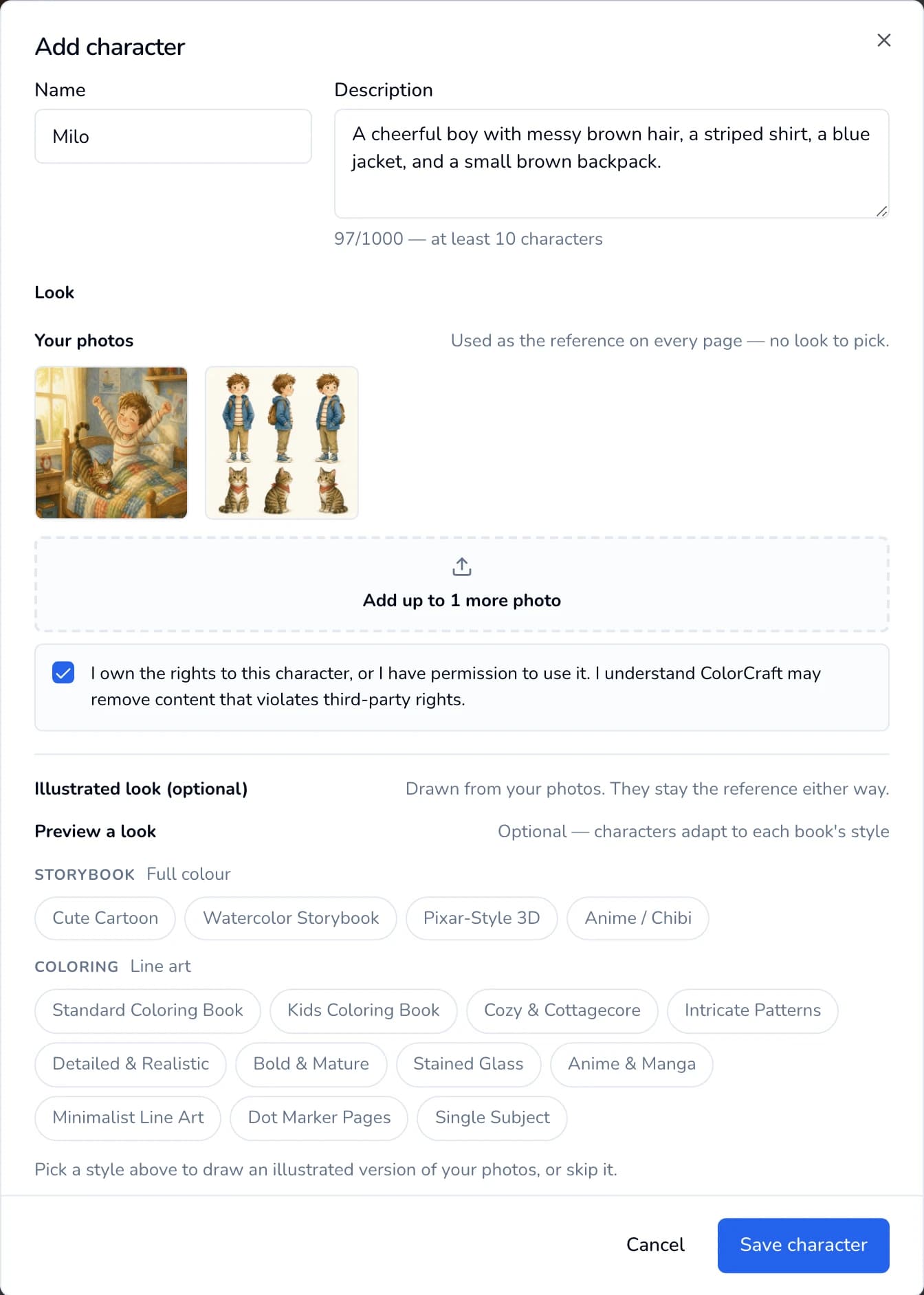
A photo-based character: two pictures uploaded and the rights box ticked. - 4
Option B: generate a look
Under Illustrated look → Preview a look, click a style. The Storybook row has the full-color styles and the Coloring row has the line-art ones. Then click Generate 3 looks. It’s free and takes 30–60 seconds. A message says “Generated 3 looks — pick your favorite.”
Click the look you want so it shows a check mark before you save. Without a chosen look, the character shows “Needs a look” when you add them to a book. Don’t like any of them? Click Regenerate for three more.
Not sure which style you’ll use yet? Skip this. The window shows “Save now, choose a look later”. The character is drawn in the right style when you add them to a book.
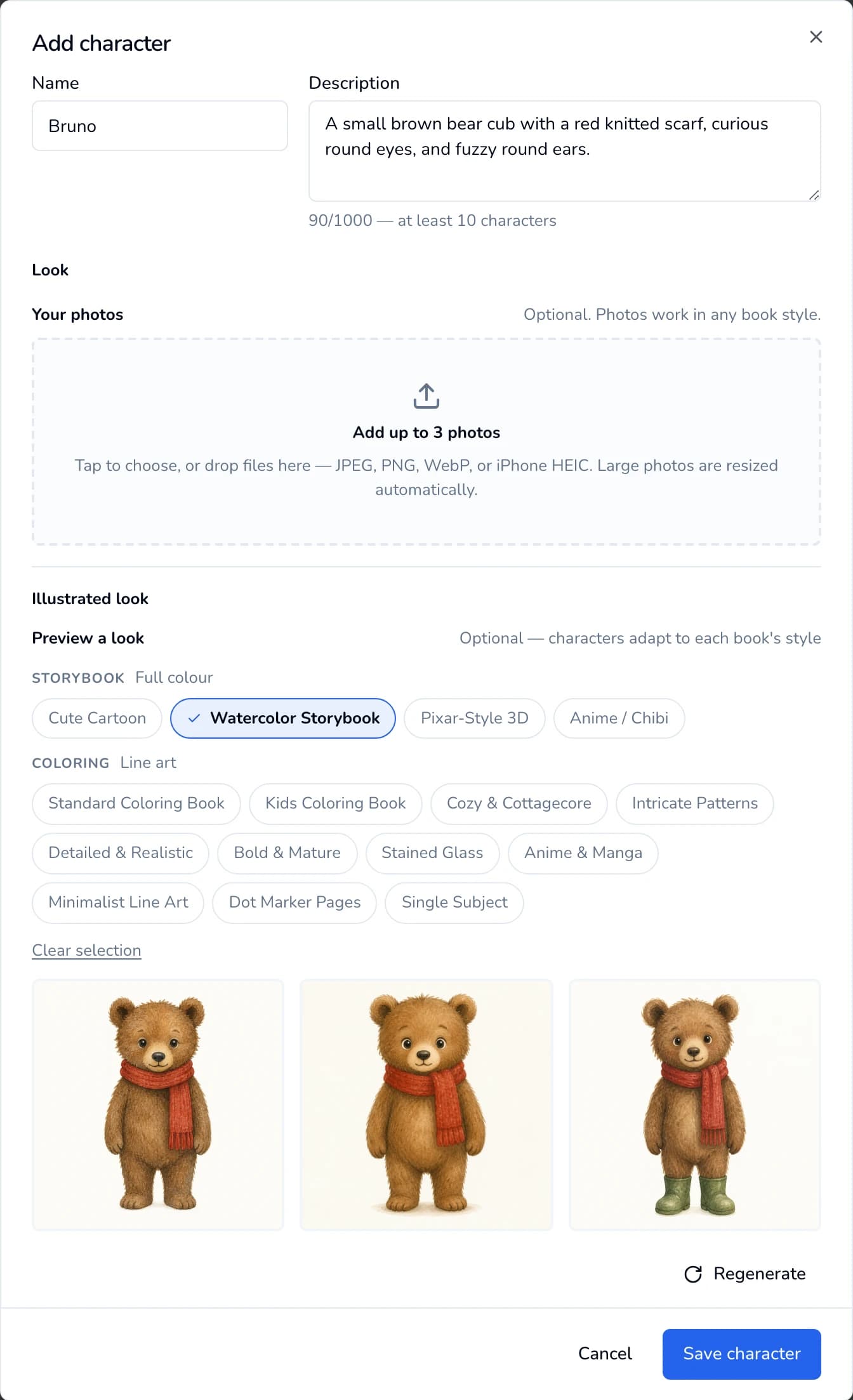
Pick a style, click Generate 3 looks, then click the look you want before saving. - 5
Save
Click Save character. If you added photos, the button reads “Uploading N photos…” for a few seconds. You’ll then see “Character saved” and the character appears in your library.
Each card shows:
- An Uploaded or Generated badge.
- A status line: “Photos work in any book”, “Adapts to any book” or “1 look saved”.
- Three controls: Edit, a book icon (“Start a book with …”), and a trash icon.
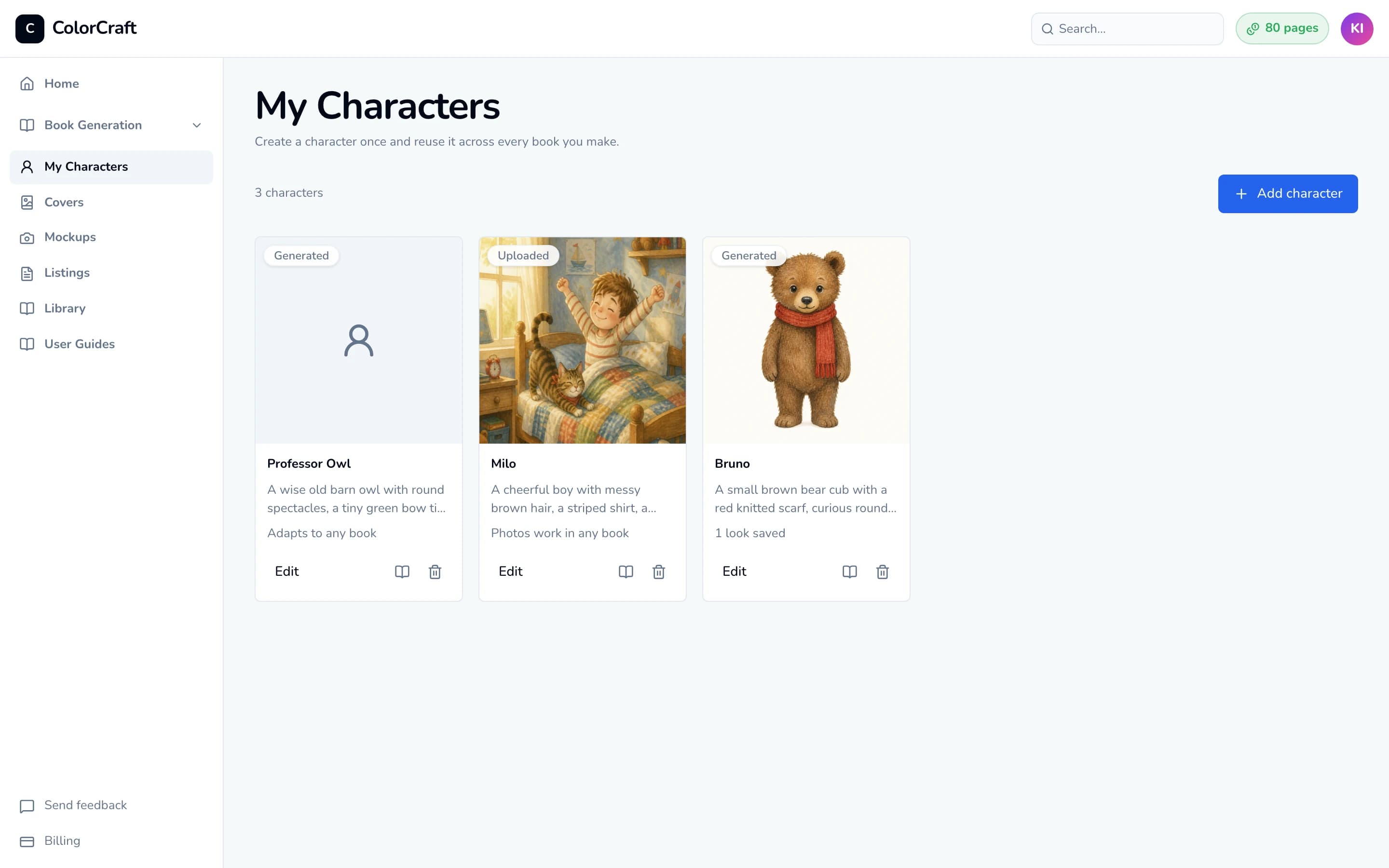
Your library. Photo characters work in any book, and generated ones keep a look for each style you use.


Using characters in a book
In the storybook wizard the field is called Cast, and every storybook needs at least one character. In the coloring book wizard it’s the optional Characters section. Either way:
- 1
Pick the book's style first
The character buttons stay locked until the book has a style. A note explains: “Pick an illustration style above first”.
- 2
Add characters one at a time
Click Add from library, then click a character. The window closes after each pick, so click Add from library again for the next one. A book can have up to 8. To make a new character without leaving the wizard, click Create new.
Generated characters are drawn in the book’s style as you add them (“Drawing…”, up to a minute, free). Photo characters are added straight away.
- 3
Clear every “Needs a look” chip
A chip that says Needs a look has no picture chosen for this style yet. Click the chip, click the look you want so it shows a check mark, and click Save character. The chip then shows the character’s face.
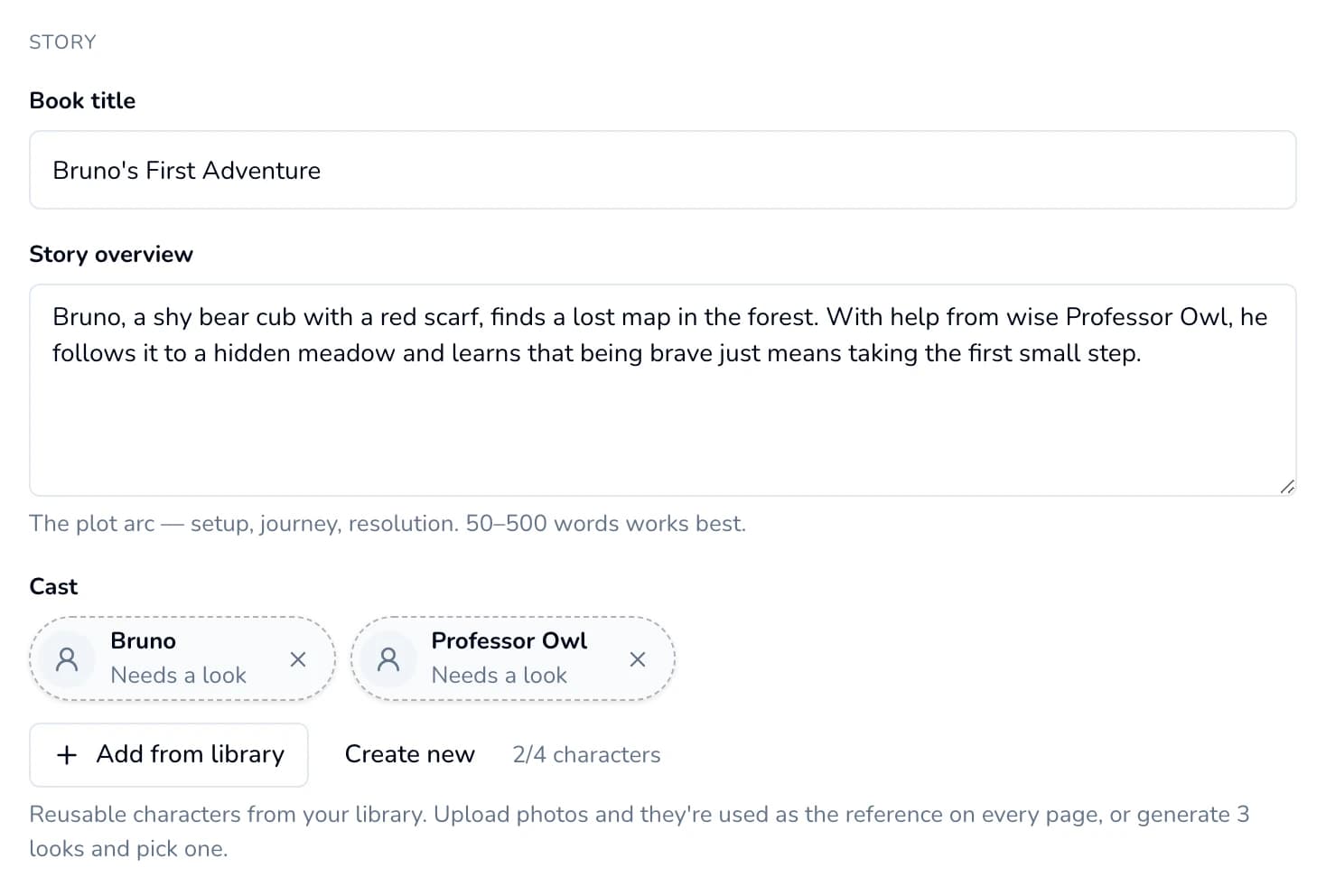
Both chips still say “Needs a look”. Click each one to choose a picture. 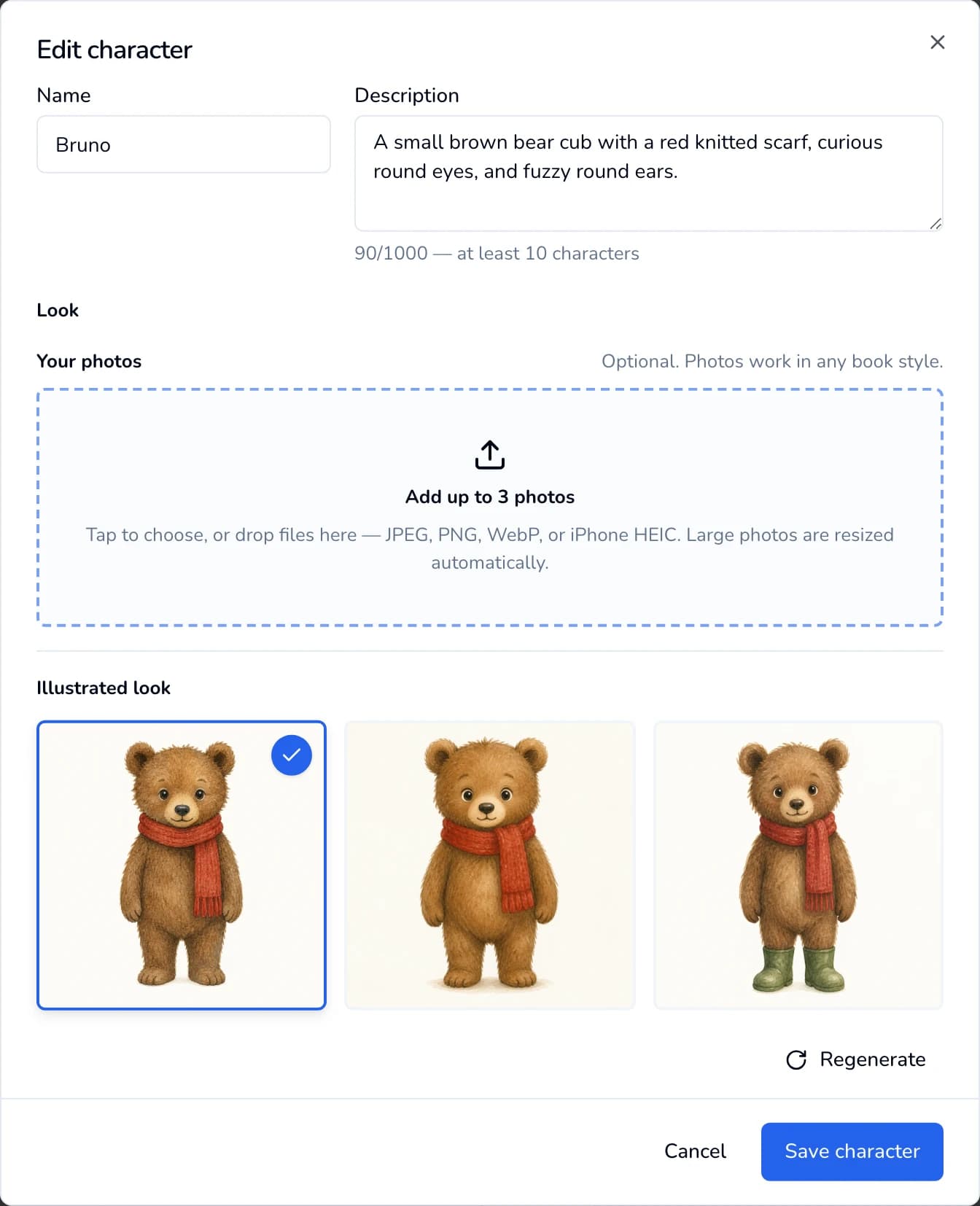
Choose a look and save. The book uses that picture on every page.


Every character needs photos or a picked look
If you change the book’s style after adding characters, a note says a character “was drawn for a different style” and their chip reads Other style. Click Redraw for this style. It takes about a minute per character and is free.
Editing and deleting
- Edit: click Edit or the picture on a card. You can rename the character, change the description, add photos (up to 3 in total), or generate looks in another style. Styles you’ve already generated looks for show a check mark.
- Start a book with a character: click the book icon on the card. It opens the Paige chooser with the right kind of book selected. Add the character from the cast picker as usual.
- Delete: click the trash icon, then Delete character. As the confirmation says, books that already used the character keep their own copy, so nothing you’ve already made changes. A draft that hasn’t started generating can’t start until you take the character out of its cast.
Changes to a character apply to books you start afterwards. A book that is already generating or finished keeps the version it started with.
If something goes wrong
- “Could not add photo” — “unsupported file type — please use a JPEG, PNG, WebP, or iPhone HEIC photo”. Save or export the picture as a JPEG or PNG and try again.
- “… a character can have at most 3 reference photos”. Each character holds up to 3 pictures. Choose your three clearest ones, ideally the face plus a full-body view.
- iPhone (HEIC) photo rejected on a computer. Some desktop browsers can’t read HEIC. You might see “this browser can’t resize that format… Try a JPEG or PNG, or upload it from your phone.” or “This browser can’t read iPhone HEIC photos. Upload from your phone, or export the photo as JPEG first.” Either open ColorCraft on the iPhone and upload from there, or export the photo as a JPEG first.
- “… over the 3.2MB limit. Try a smaller image.” or “Those images are too large to upload together.” All the photos in one save have to fit together. Add fewer photos at once, or use smaller ones.
- Save character is greyed out. Check that:
- the name isn’t empty;
- the description has at least 10 characters;
- every photo has finished “Processing…”;
- the rights box is ticked if you added photos.
- “Could not generate looks” or “Could not draw … in this style”. Try again in a moment. If it keeps failing, reword the description: describe appearance only, avoid exact ages and anything violent or scary, and don’t use the names of characters from films or TV.
- “Cast is full”. A book can use up to 8 characters. Remove one with the × on its chip first.
- A character shows “Needs a look” even though I generated looks. No look was clicked before saving. Click the chip, click a look so it shows a check mark, and click Save character.
Open My Characters
Build your cast once and reuse it in every storybook and coloring book.
ColorCraft’s 7-day trial needs a card.